Create Fluid Property Diagrams
fluprodia
FluProDia is a library to create fluid property diagrams based on CoolProp. CoolProp has an inbuilt feature for creating such diagrams, unfortunately, the handling is not very convenient. We recommend using fluprodia (Fluid Property Diagram) instead. You can create and customize different types of diagrams for all pure and pseudo-pure fluids available in CoolProp. You install fluprodia with pip:
pip install fluprodia
The documentation provides more detailed information about the capabilities and usage.
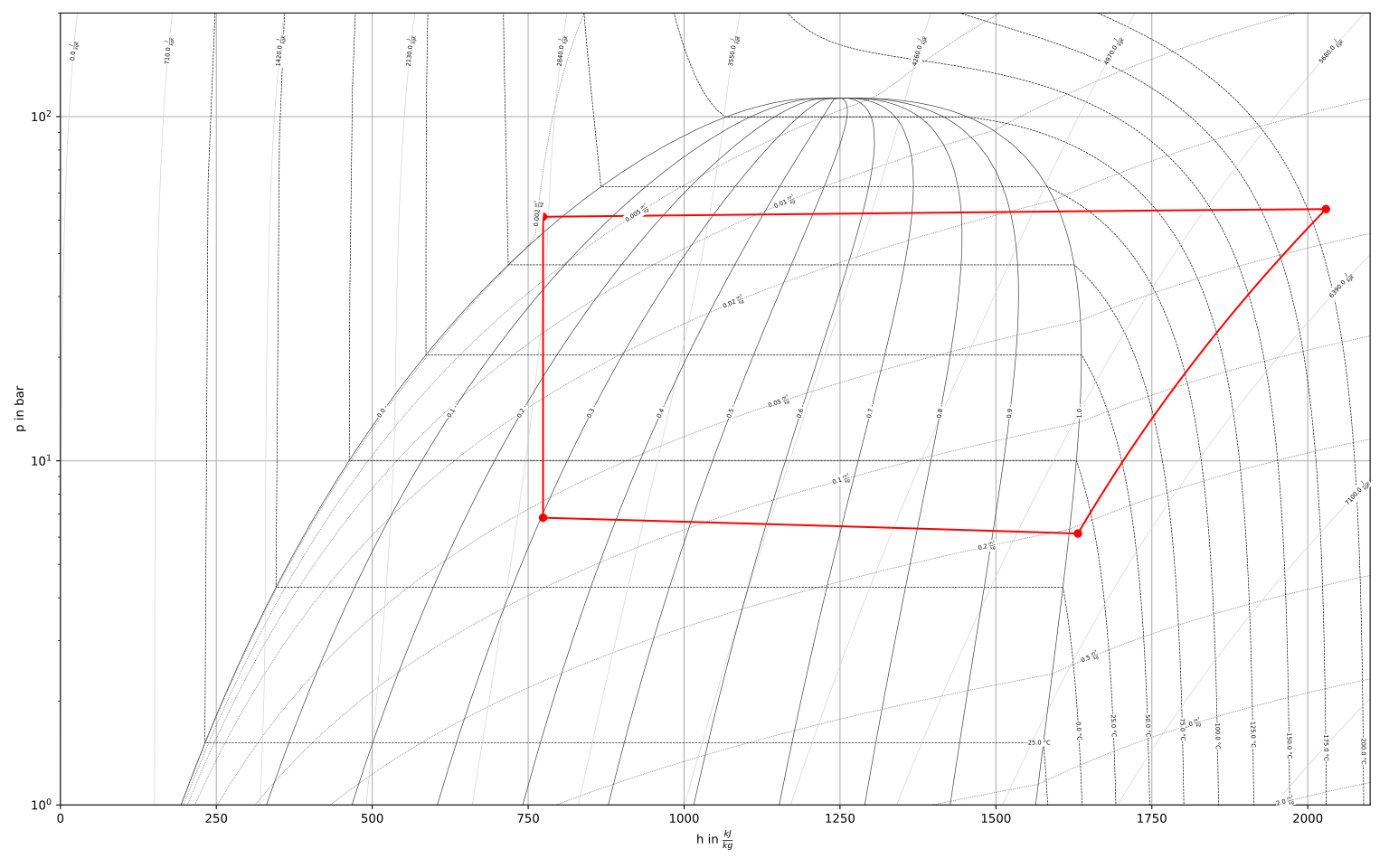
Figure: logph diagram of NH3 with a simple heat pump cycle
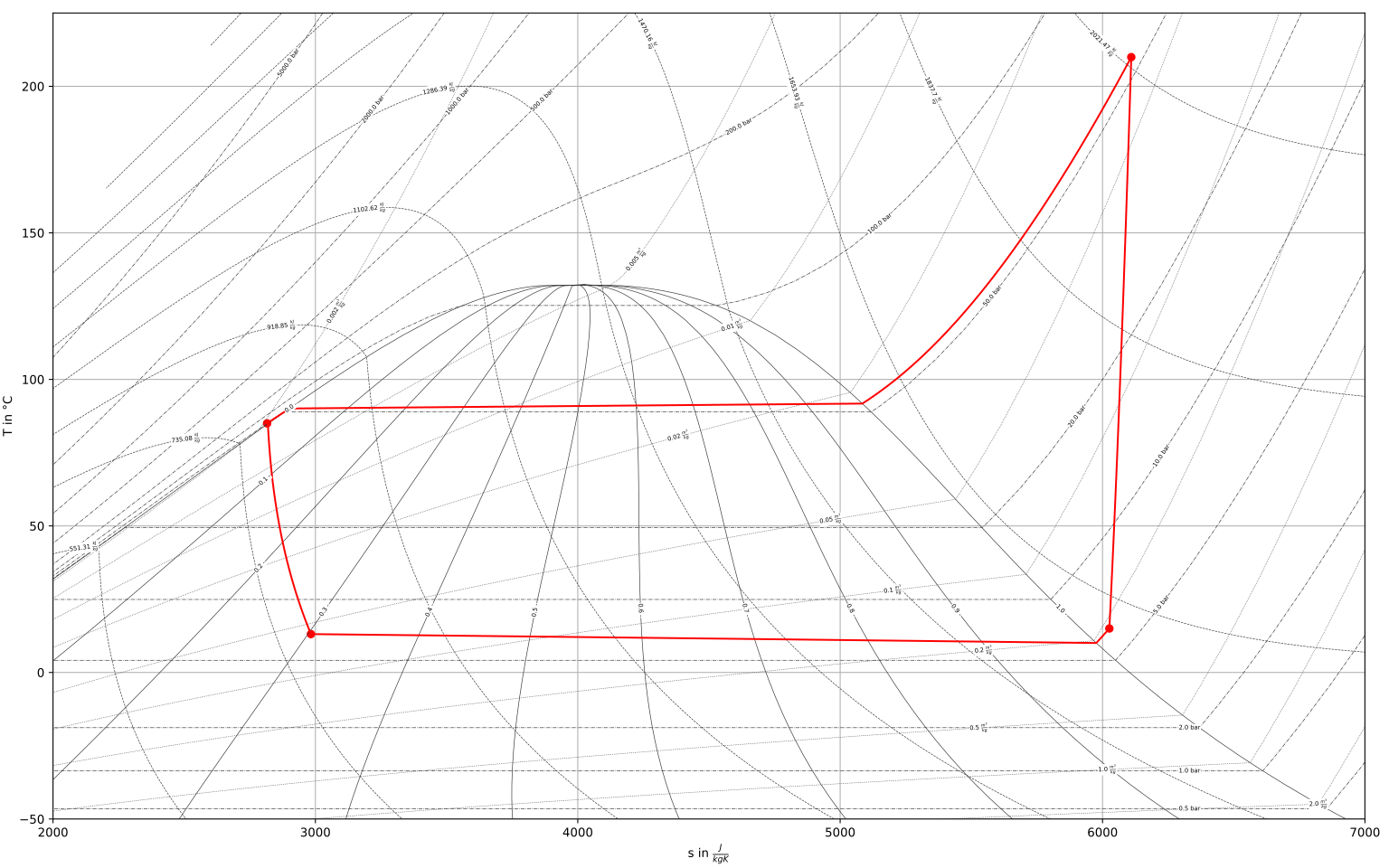
Figure: Ts diagram of NH3 with a simple heat pump cycle
Integrate models with fluprodia
You can use the get_plotting_data method of tespy.tools to
retrieve the necessary data from your model to plot the cycle states and
processes with fluprodia. For example, a simple heat pump process can be
plotted as follows:
Create the heat pump model
Create a fluid property diagram in fluprodia
Prepare the data from the tespy model
Plot the states and processes into the figure
>>> from tespy.networks import Network
>>> from tespy.connections import Connection
>>> from tespy.components import (
...     CycleCloser, MovingBoundaryHeatExchanger, Compressor, Valve,
...     SimpleHeatExchanger, Source, Sink
... )

>>> nw = Network(iterinfo=False)
>>> nw.units.set_defaults(
...     temperature="°C", pressure="bar"
... )

>>> cp = Compressor("compressor")
>>> cc = CycleCloser("cycle_closer")
>>> cd = MovingBoundaryHeatExchanger("condenser")
>>> va = Valve("expansion valve")
>>> ev = SimpleHeatExchanger("evaporator")
>>> so = Source("water source")
>>> si = Sink("water sink")

>>> c1 = Connection(cc, "out1", cd, "in1", label="c1")
>>> c2 = Connection(cd, "out1", va, "in1", label="c2")
>>> c3 = Connection(va, "out1", ev, "in1", label="c3")
>>> c4 = Connection(ev, "out1", cp, "in1", label="c4")
>>> c5 = Connection(cp, "out1", cc, "in1", label="c5")

>>> nw.add_conns(c1, c2, c3, c4, c5)

>>> a1 = Connection(so, "out1", cd, "in2", label="a1")
>>> a2 = Connection(cd, "out2", si, "in1", label="a2")

>>> nw.add_conns(a1, a2)

>>> cd.set_attr(dp1=0, dp2=0, Q=-1e6)
>>> ev.set_attr(dp=0)
>>> cp.set_attr(eta_s=0.8)

>>> c1.set_attr(fluid={"R290": 1})
>>> c2.set_attr(td_bubble=5, T=65)
>>> c4.set_attr(td_dew=5, T=15)

>>> a1.set_attr(fluid={"water": 1}, p=1, T=50)
>>> a2.set_attr(T=65)

>>> c2.set_attr(T=None)
>>> cd.set_attr(td_pinch=5)  # resolve with minimal pinch specification
>>> nw.solve("design")
>>> nw.assert_convergence()  # only for internal check
After setting up the model you create the diagram:
>>> from fluprodia import FluidPropertyDiagram
>>> import matplotlib.pyplot as plt
>>> diagram = FluidPropertyDiagram("R290")
>>> diagram.set_unit_system(T="°C", p="bar")
>>> diagram.set_isolines_subcritical(0, 120)
>>> diagram.calc_isolines()
Retrieve the process data and points and create the process lines by using
the get_plotting_data method. You have to pass the Network instance
and the label of any of the physically connected connections (e.g. working
fluid cycle) inside your model to the method.
>>> from tespy.tools import get_plotting_data
>>> processes, points = get_plotting_data(nw, "c1")
>>> processes = {
...     key: diagram.calc_individual_isoline(**value)
...     for key, value in processes.items()
...     if value is not None
... }
To plot you simply create a matplotlib figure, draw the diagram background isolines and then plot the processes and the points.
>>> fig, ax = plt.subplots(1)
>>> diagram.draw_isolines(fig, ax, "Ts", 1000, 2750, 0, 120)
>>> for label, values in processes.items():
...     _ = ax.plot(values["s"], values["T"], label=label, color="tab:red")
>>> for label, point in points.items():
...     _ = ax.scatter(point["s"], point["T"], label=label, color="tab:red")